ICTERP for Education
One system for schools, colleges and universities: admissions, timetables, attendance, exams, GPA, fee challans, OBE, and a portal for students and parents.
Run the whole campus from one place
ICTERP Education keeps every student, teacher, parent, class, mark and fee in one database. The registrar, the exams office, the accounts office and the teachers all work on the same records, and students and parents see their own part in a web portal.
- Online admissions with entry tests, merit lists and offer letters
- Course registration, GPA, CGPA and transcripts
- Date sheets with seating plans and invigilation duties
- Bank fee challans with late fines and scholarships
- Outcome Based Education: CLO and PLO attainment
- Absence, result and fee alerts to parents by SMS or call
Pick the edition that fits the institution
Both run on the same ICTERP server, so a school can move up to the University edition later without moving its data.
For schools and colleges
Everything a school office runs day to day.
- Students, parents, teachers and classes
- Online admission form and application tracking
- Timetable and class attendance
- Exams, marksheets and result cards
- Fee challans, late fines and scholarships
- Assignments handed in from the portal
- Library loans
- Student and parent portal
- Parent SMS and call alerts through ICTContact
For universities and degree colleges
The School edition, plus credit-hour academics and accreditation work.
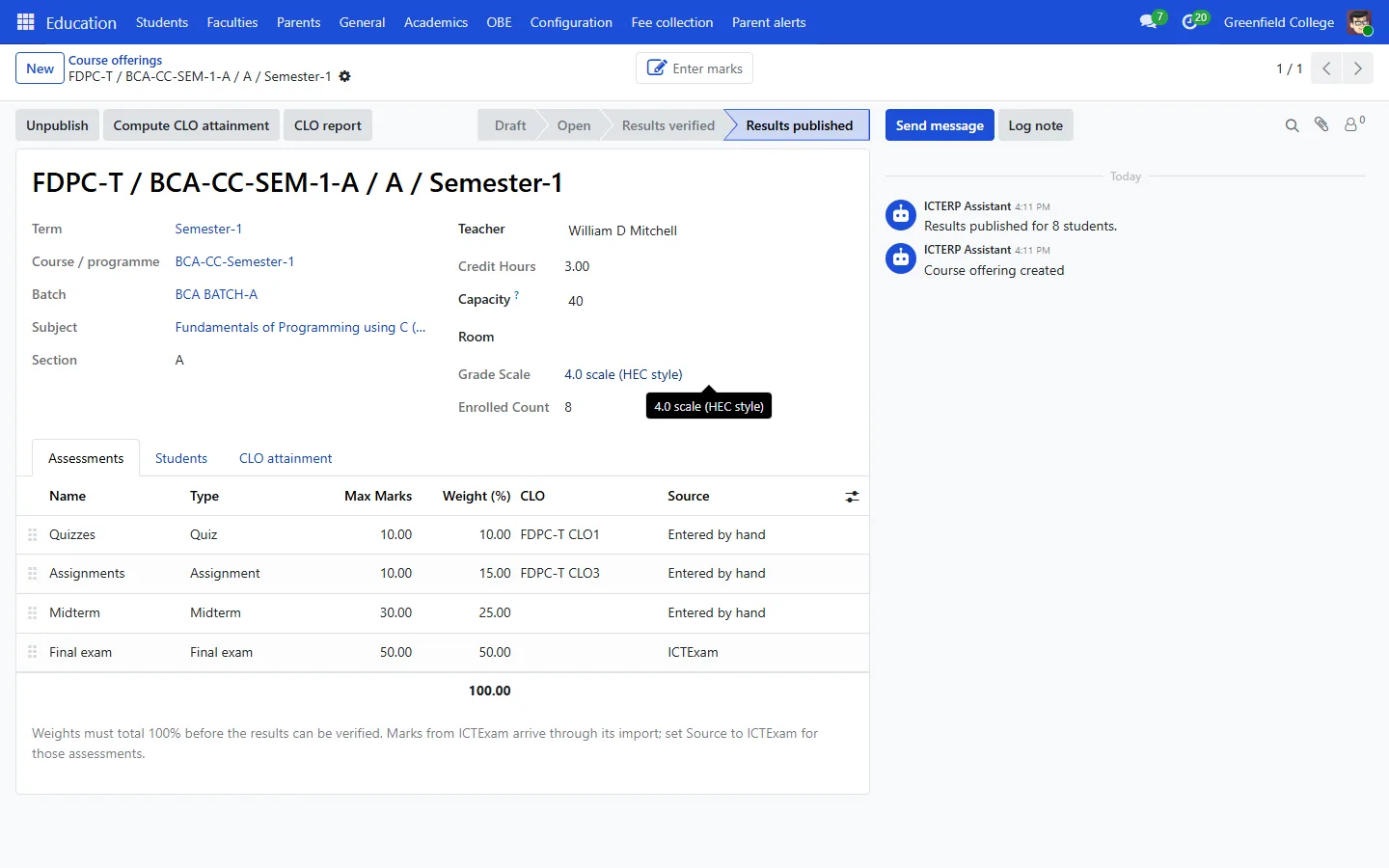
- Course offerings per term with capacity and teacher
- Registration with prerequisite and credit-load checks
- Drop and withdraw deadlines
- GPA, CGPA, probation and transcripts
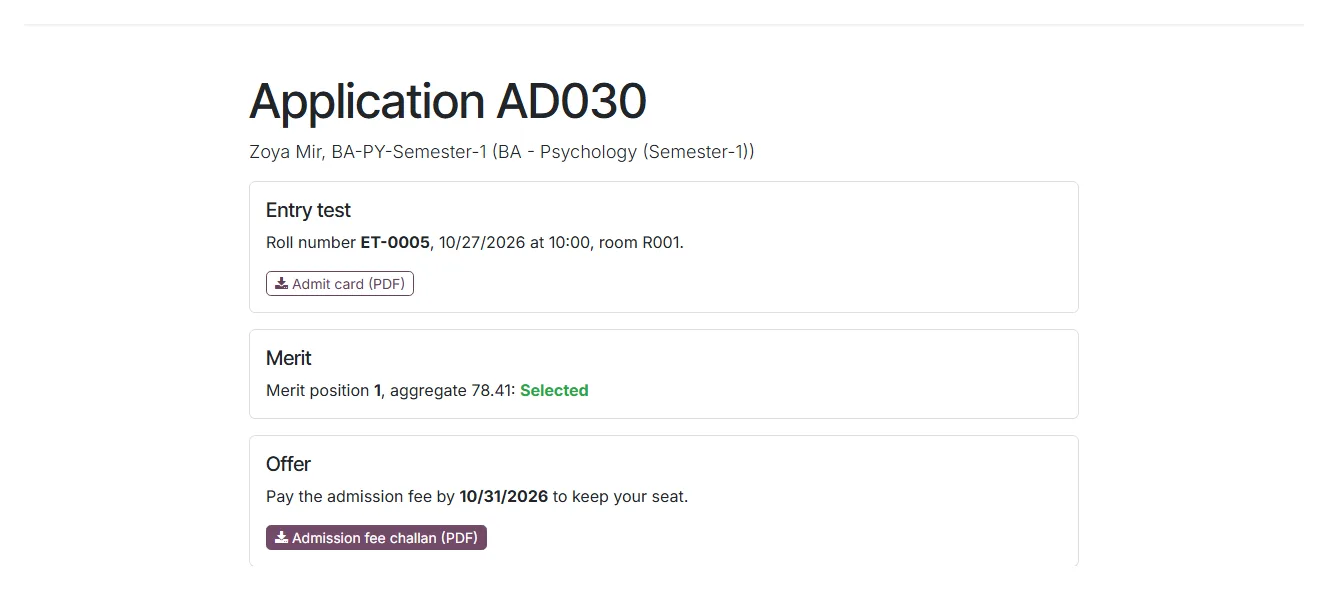
- Entry test roll numbers, admit cards and merit lists
- Offer letters with an admission fee challan
- Date sheets, seating plans and invigilation
- PEOs, PLOs, CLOs and attainment reports
Everything the campus offices need
Each module has a step by step guide. Click a card to read it.
Admissions
A public application form, entry test roll numbers, admit cards, a weighted merit list and offer letters with a fee challan.
Learn more →Students and parents
Student records with photos, guardians, documents and history. One parent login covers all their children.
Learn more →Timetable and attendance
Weekly timetables per batch and teacher, and attendance sheets that alert parents when a child is absent.
Learn more →Registration and GPA
Offer courses each term, register students against the rules, enter weighted marks and publish GPA and CGPA.
Learn more →Date sheets
Check clashes, mix papers in each room so neighbours sit different exams, and share duties fairly between teachers.
Learn more →Fee challans
Three-copy bank challans, payment from the bank file, late fines that bill themselves, and scholarships.
Learn more →OBE
Map assessments or single questions to CLOs, and get student and class attainment for HEC and accreditation files.
Learn more →Student and parent portal
Timetable, attendance, results, transcripts, challans, exam slips and library loans on any phone.
Learn more →Payroll
Pay teachers and staff from the same system, with salary rules you define and payslips in batches.
Learn more →From application to confirmed seat, online
Applicants fill in the form on your website and get a private link to follow their application. On test day they print an admit card. When results are in, ICTERP ranks them by your formula, fills the seats, keeps a waiting list and emails offer letters with a fee challan. Once the fee is paid, the seat is confirmed.
- Weights for matric, intermediate, entry test and interview
- Hafiz-e-Quran bonus marks
- Roll numbers and test rooms assigned for you
- Applicants see their status without calling the office
Bank challans the accounts office will like
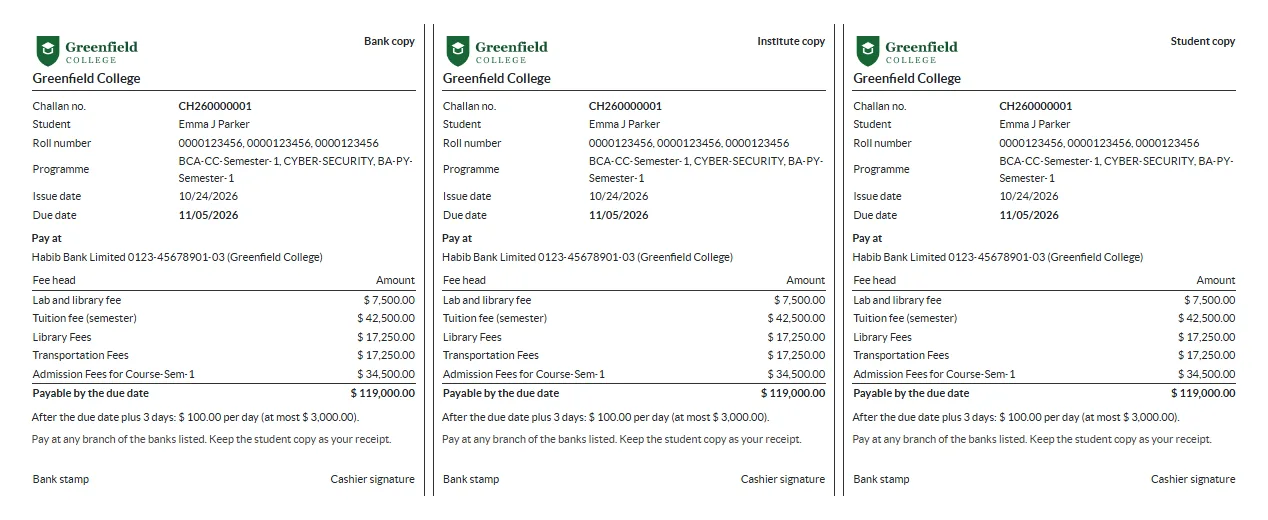
ICTERP gathers each student’s fees into one challan with bank, institute and student copies. Mark it paid by hand or upload the bank’s daily file. If it was paid late, the fine is worked out from your policy and billed on its own invoice.
- Your bank accounts printed on every challan
- Late fine per day or fixed, with grace days and a cap
- Scholarships and waivers as a percentage of chosen fee heads
- Parents download challans from the portal
Date sheets without the spreadsheet
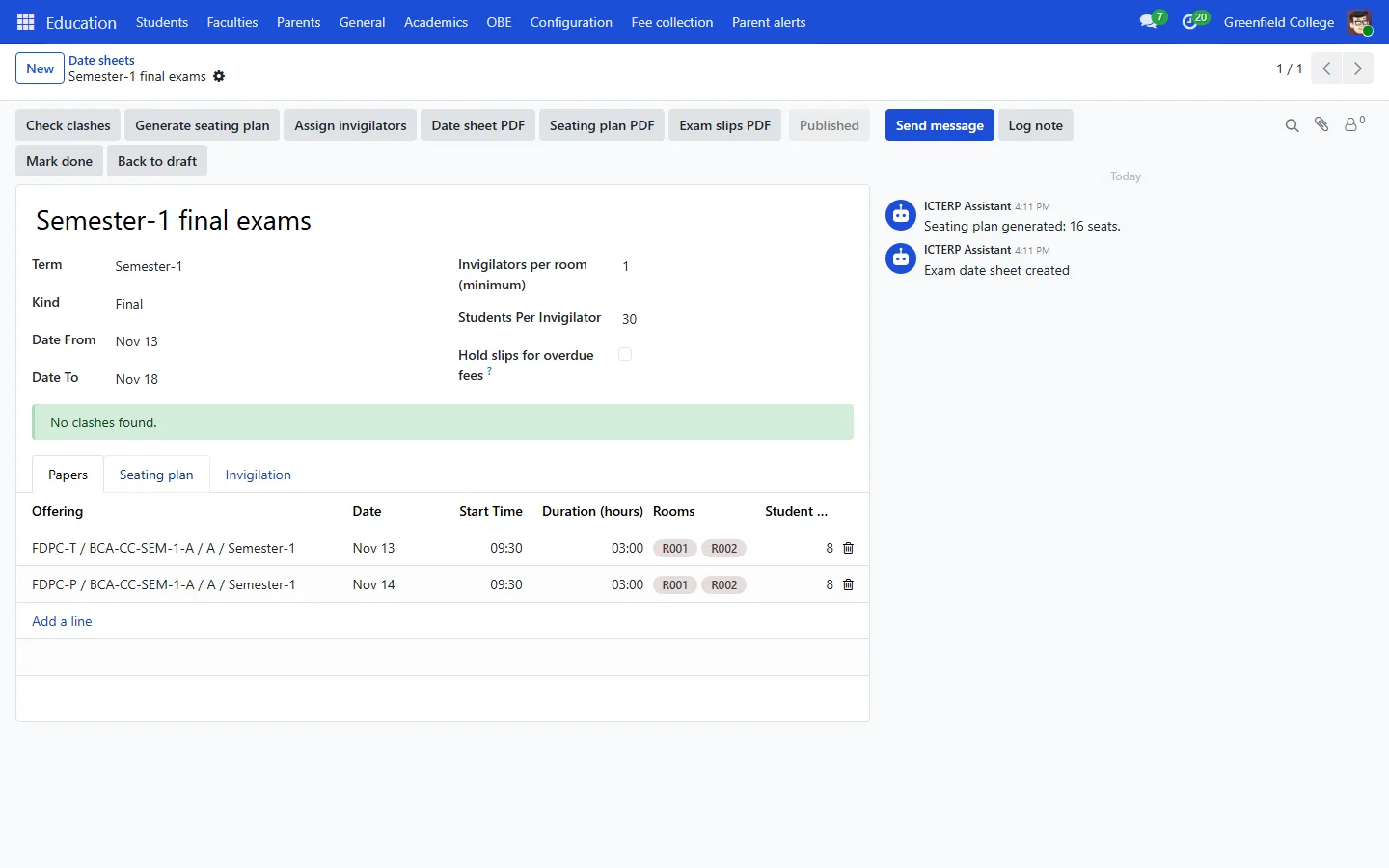
List each paper with its date, time and rooms. ICTERP checks for students with two papers at once, teachers booked twice and rooms that are too small. It then builds the seating plan and assigns invigilators, and students see their room and seat in the portal.
- Clash check before you publish
- Seating that mixes papers in each room
- Invigilation shared out by load
- Exam slips, which can be held for unpaid fees
Outcome Based Education, worked out from marks you already enter
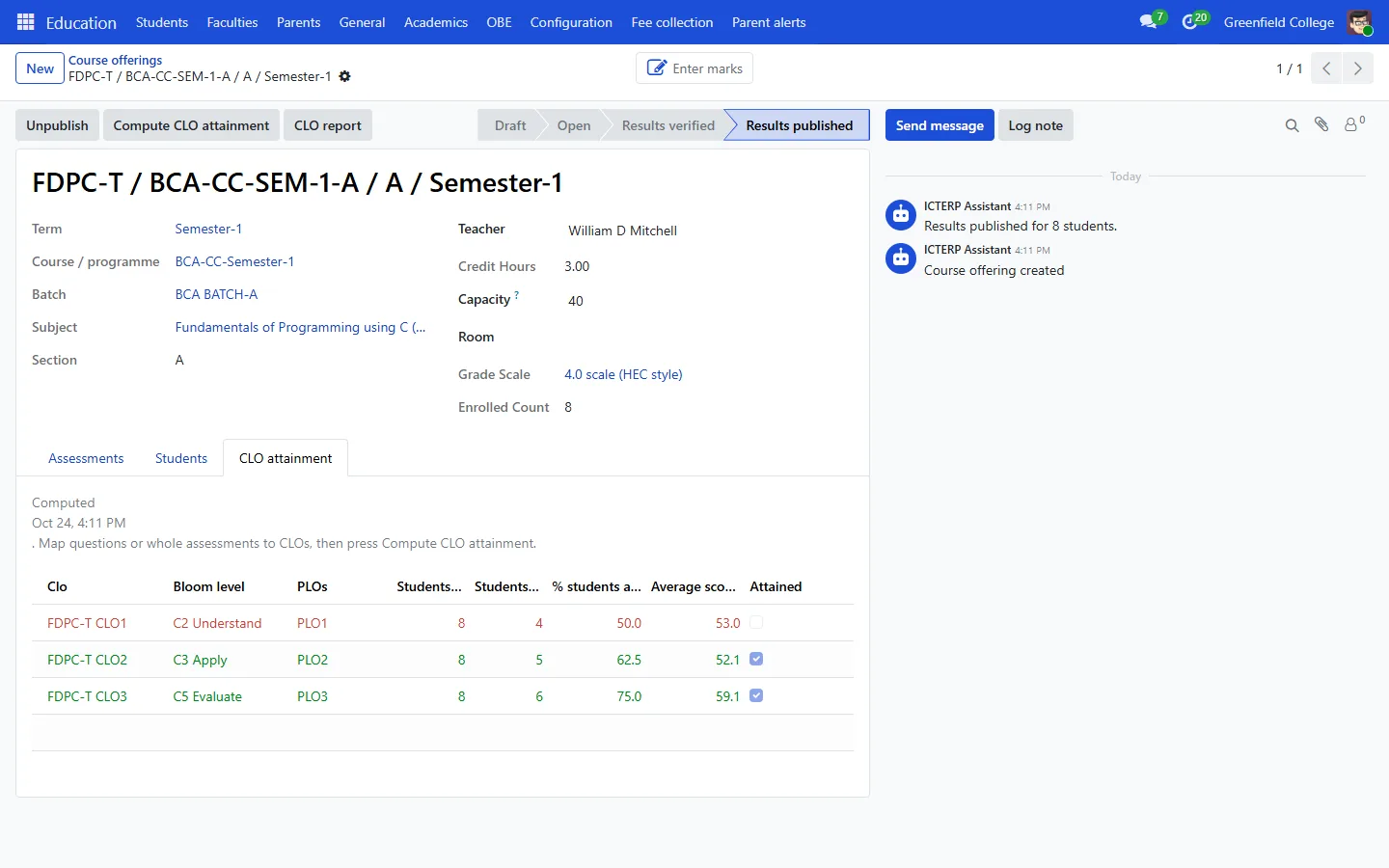
Define PLOs for each programme and CLOs for each subject with their Bloom level. Map a whole assessment or single exam questions to a CLO. ICTERP then works out how many students attained each CLO and whether the class did, ready for your accreditation file.
- Student and class CLO attainment
- Student PLO attainment across all courses
- Thresholds you set, 50% and 60% by default
- CLO report PDF per course
Parents stay in the loop without phoning the school
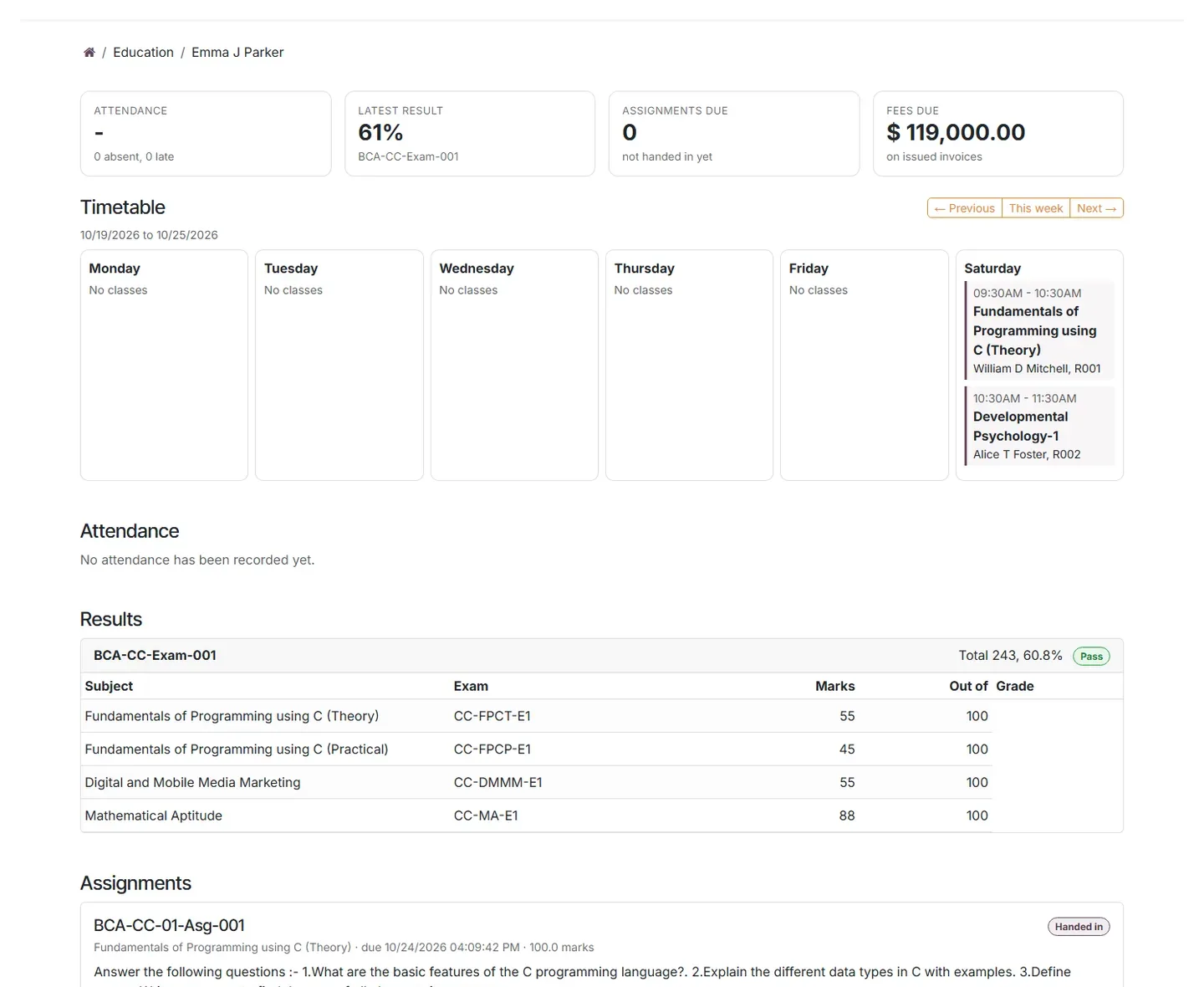
Students and parents sign in to one page that shows the week’s timetable, attendance, results, GPA, assignments, fees, challans, the exam schedule and library loans. Parents with more than one child at the school see all of them. When a child is absent, results are published or a fee is overdue, ICTERP adds the parent to an ICTContact campaign that texts or rings them.
- Works on any phone browser
- Transcript, challan and exam slip downloads
- SMS or voice alerts through ICTContact
- A Call parent button on every student record
Coming soon: ICTExam
ICTExam, our AI-powered online exam platform, will send marks straight into ICTERP, question by question, so CLO attainment updates with no extra data entry.
Your brand, or ours
Run ICTERP Education for your own institution, or resell it to schools under your brand. Either way, we set it up, watch the server and do the yearly upgrade.
See it running with your own programmes
Tell us about your institution: classes, programmes, how fees are collected. We will show you ICTERP Education set up the way you work and send you a quote.