An admission register is one intake, for example BS Psychology, Fall 2026. Applications, the entry test, the merit list and the offers all belong to it.
1. Open the intake
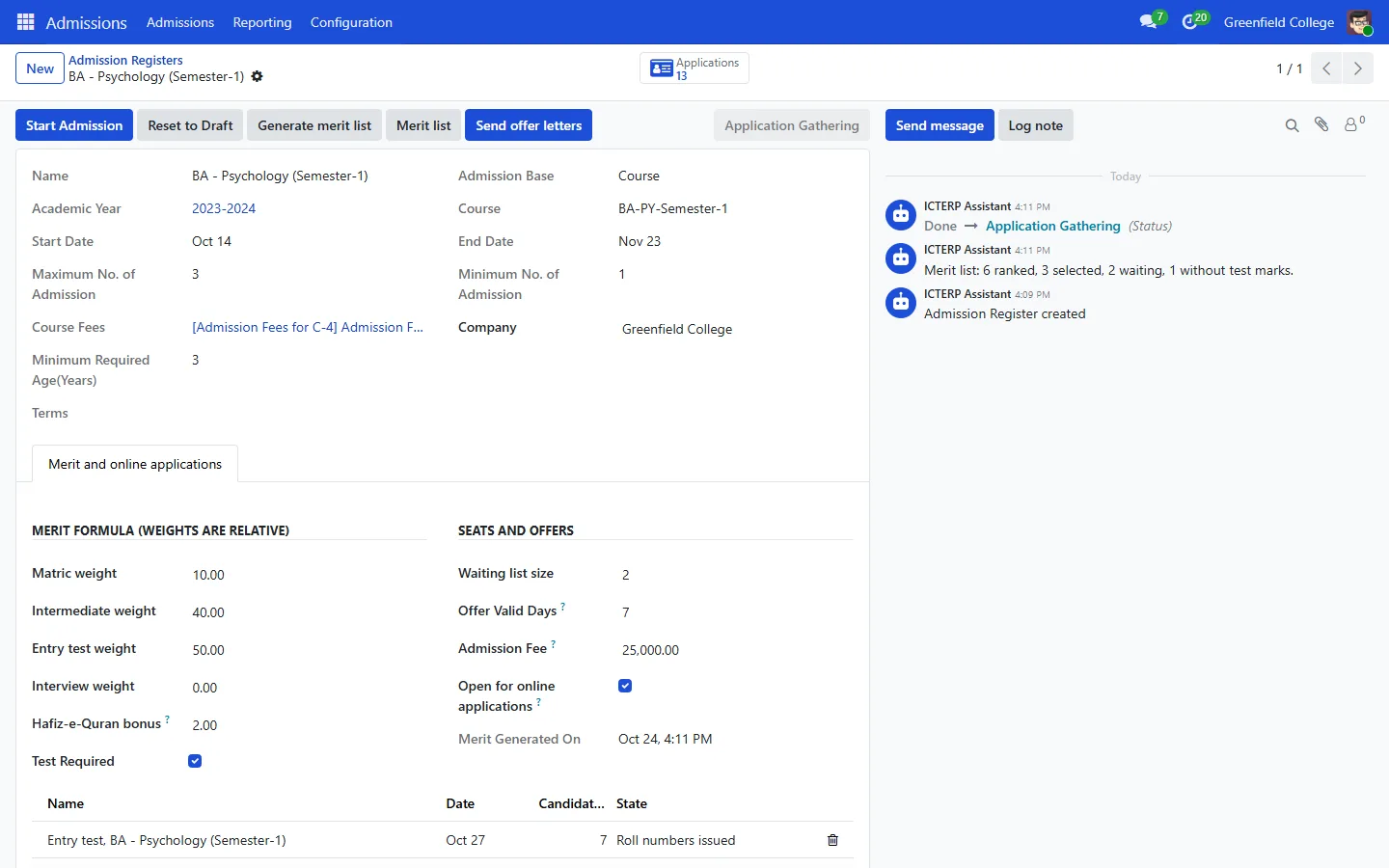
- In the Admissions app, open the Admissions menu, choose Admission (the list of admission registers) and press New. Pick the course, the dates and the number of seats (Maximum No. of Admission).
- On the Merit and online applications tab, set the weights for matric, intermediate, entry test and interview, the Hafiz-e-Quran bonus, the waiting list size, how many days an offer stays valid and the admission fee.
- Tick Open for online applications, then press Start Admission.
2. Applicants apply online
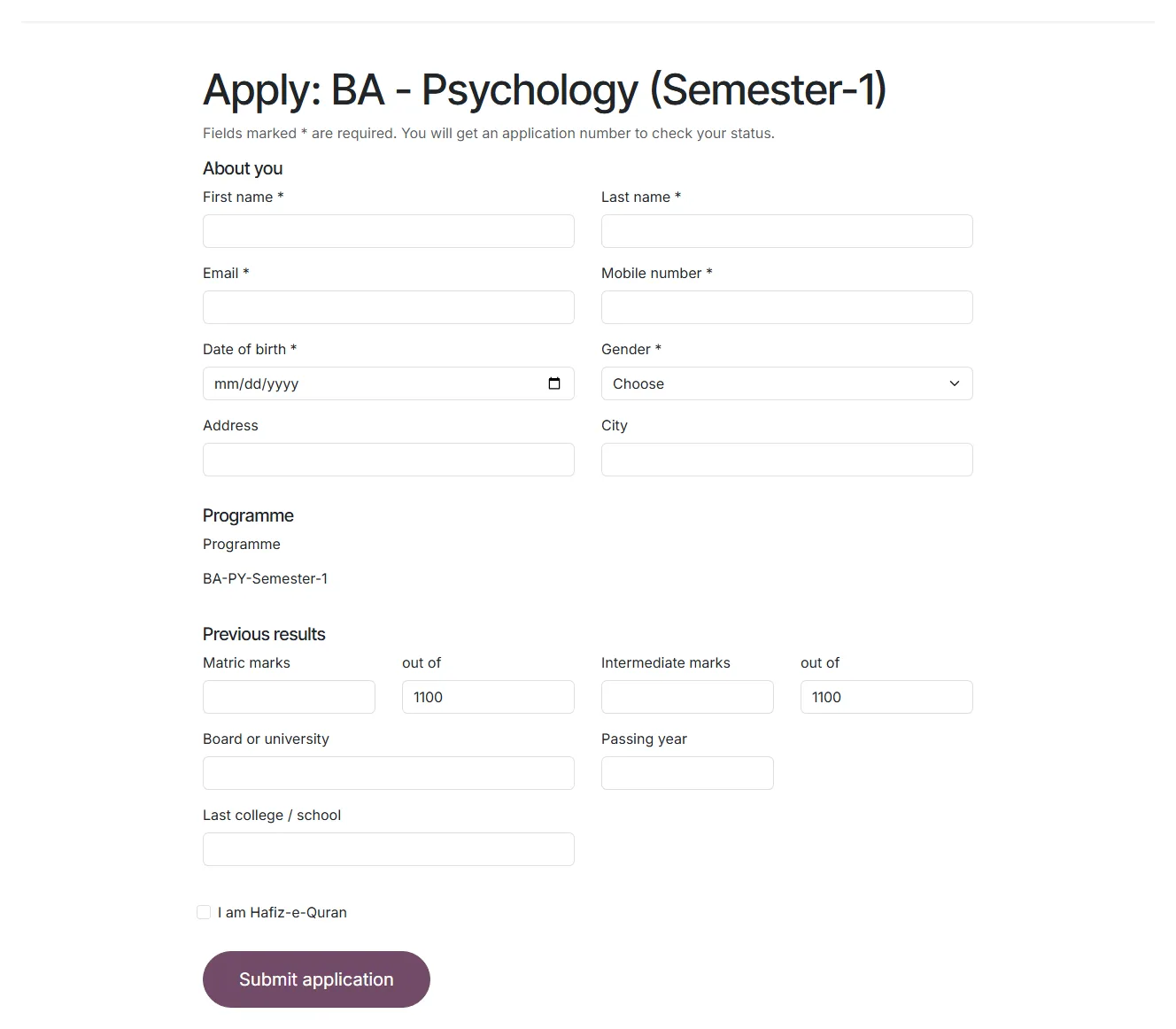
Your website now has an /admission page listing every open intake. Applicants press Apply now, fill in the form and get an application number and a private link to check their status. ICTERP stops duplicate applications from the same email.
3. Run the entry test
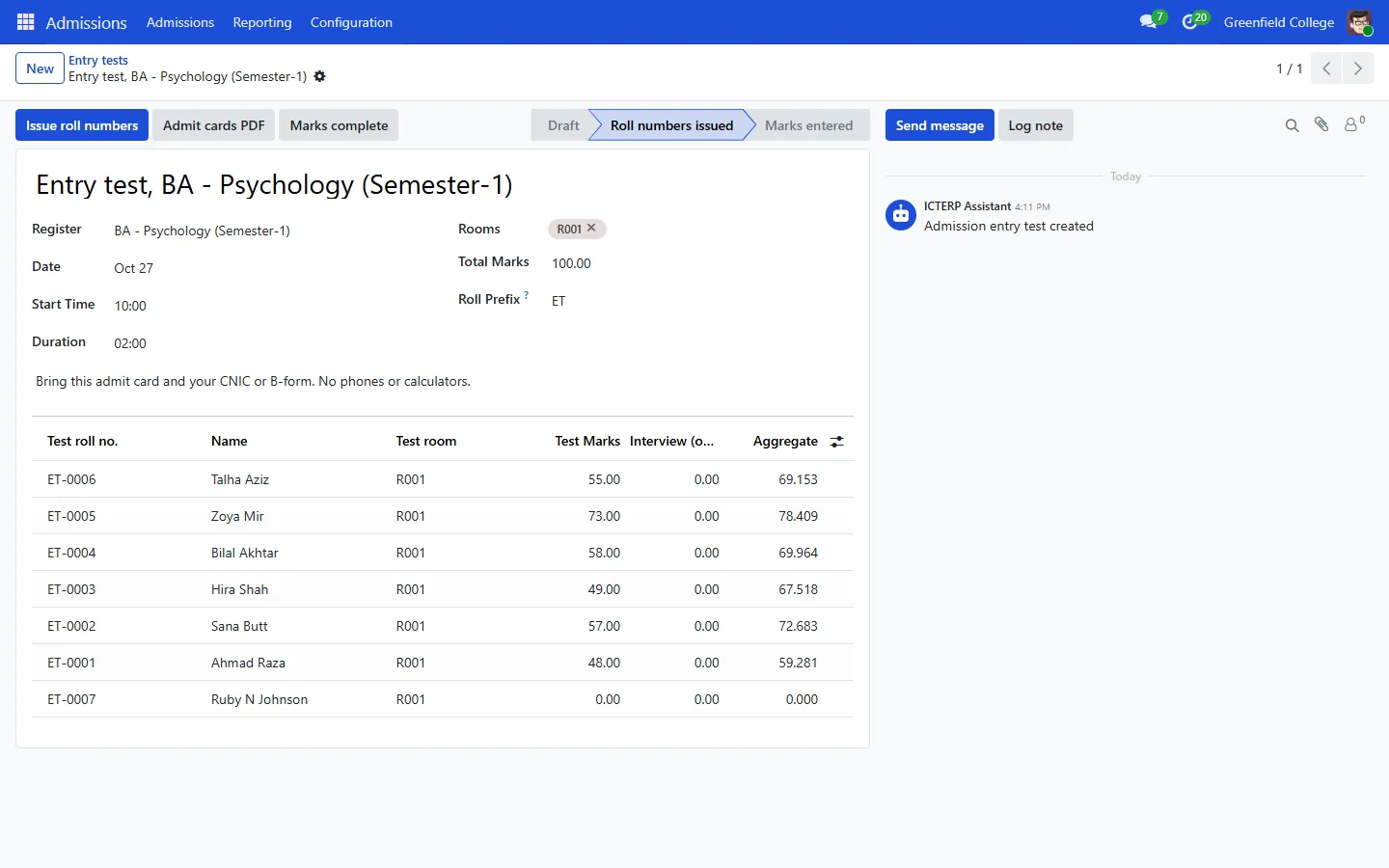
- Under Admissions, Admissions, Entry tests, create the test with its date, time and rooms.
- Press Issue roll numbers. ICTERP numbers the candidates and spreads them over the rooms by capacity. Print Admit cards PDF, or let applicants print their own from the status page.
- After the test, type each candidate’s marks in the list and press Marks complete.
4. Merit list and offers
- Back on the register, press Generate merit list. ICTERP ranks everyone by aggregate, selects as many as there are seats and puts the next ones on the waiting list. Merit list shows the result.
- Press Send offer letters. Each selected applicant gets an email with the offer letter and an admission fee challan.
- When the challan is marked paid, the application moves on and the seat is confirmed.
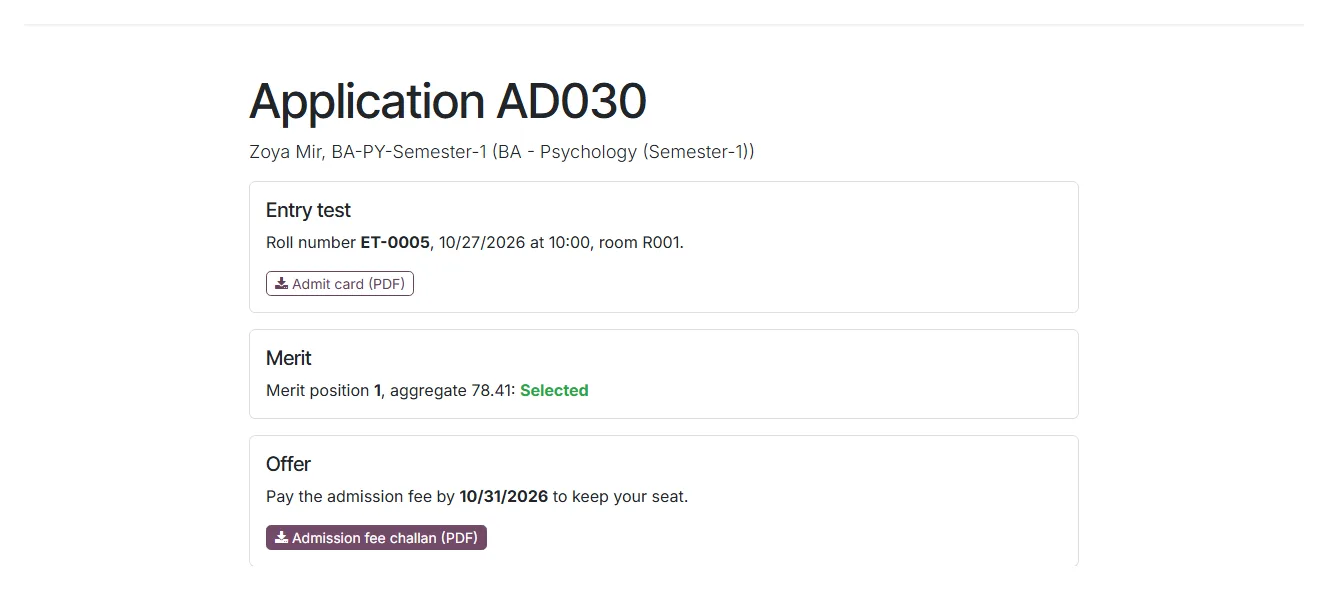
Applicants who lose their link can look up their application on the same page with their application number and email.