1. Define outcomes
- Go to Education, OBE. Add your PEOs, then the PLOs for each programme.
- Under CLOs, add the outcomes for each subject: a code such as CLO1, the description, the Bloom level (C1 to C6, plus the affective and psychomotor levels) and the PLOs it maps to.
2. Map assessments
On a course offering’s Assessments tab, set the CLO for each assessment. If one paper covers several CLOs, split it into questions and set the CLO on each question instead.
3. Work out attainment
- After marks are entered, press Compute CLO attainment on the offering. The CLO attainment tab shows, for each CLO, how many students attained it and whether the class did.
- Press CLO report for the PDF for your course file.
- For programme level results, use OBE, Compute attainment, pick the programme and press Compute. PLO attainment then lists each student’s PLOs.
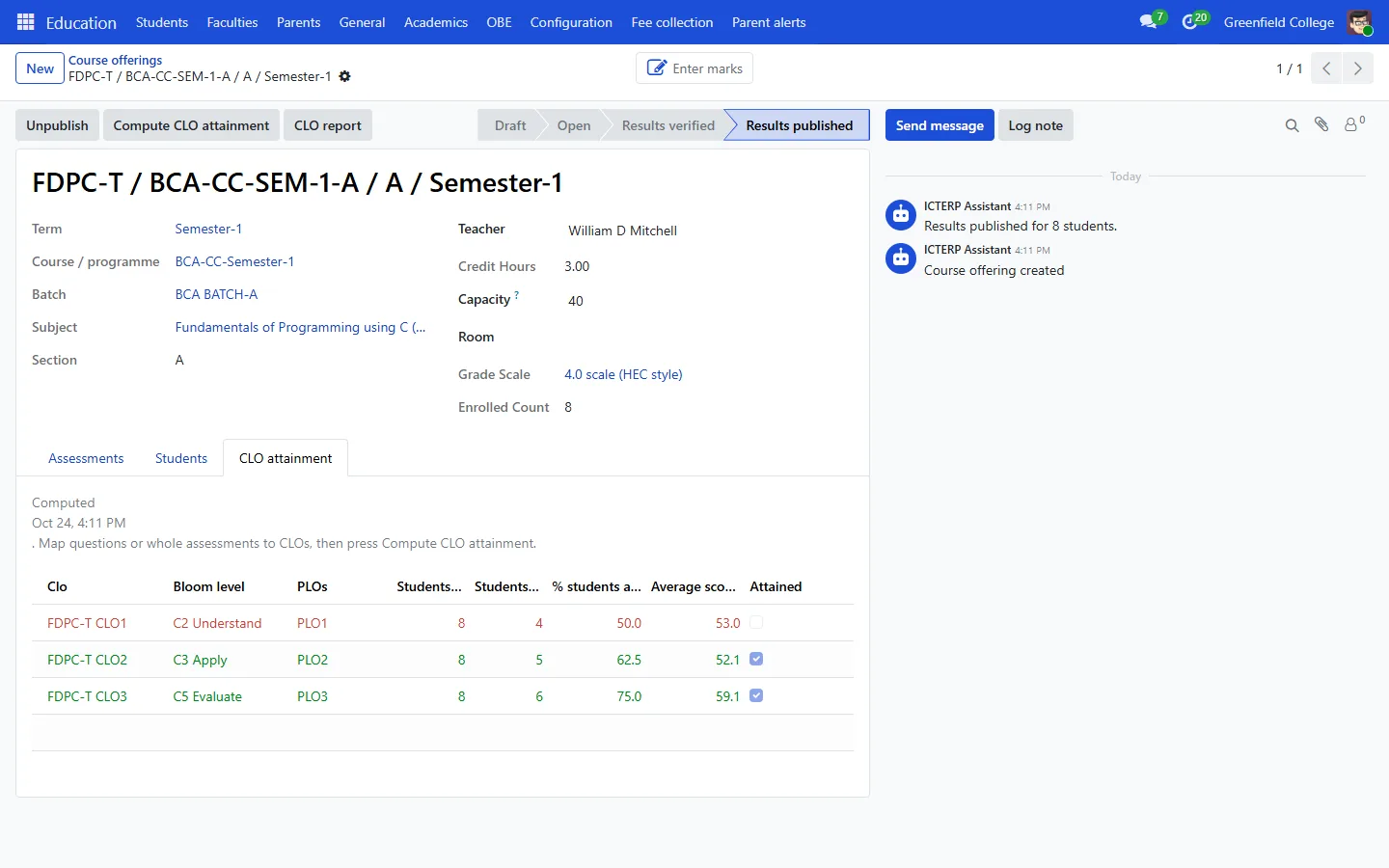
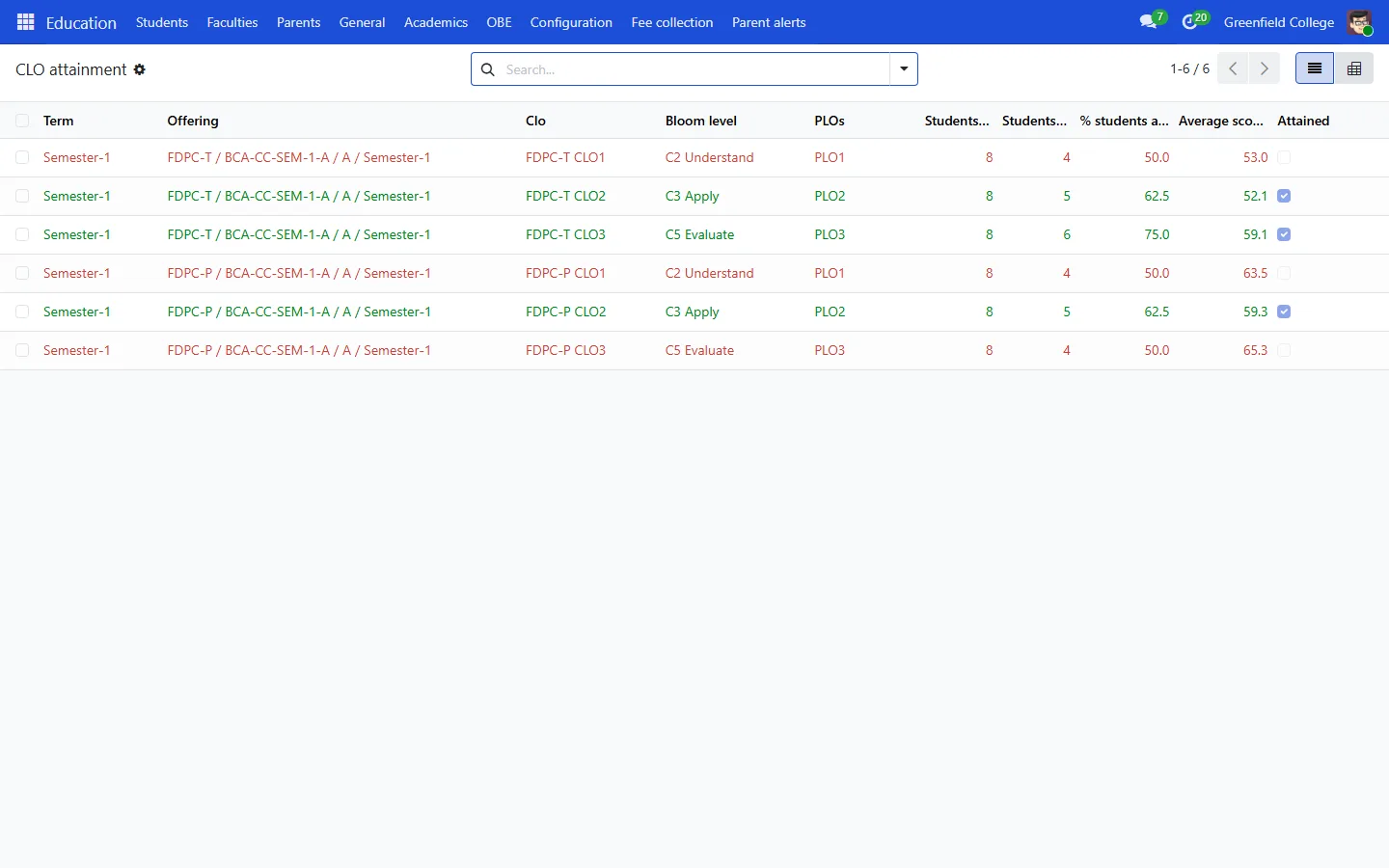
By default a student attains a CLO at 50% and a class attains it when 60% of its students do, which is common HEC practice. Change both in Settings, under Outcome Based Education.