1. Create the date sheet
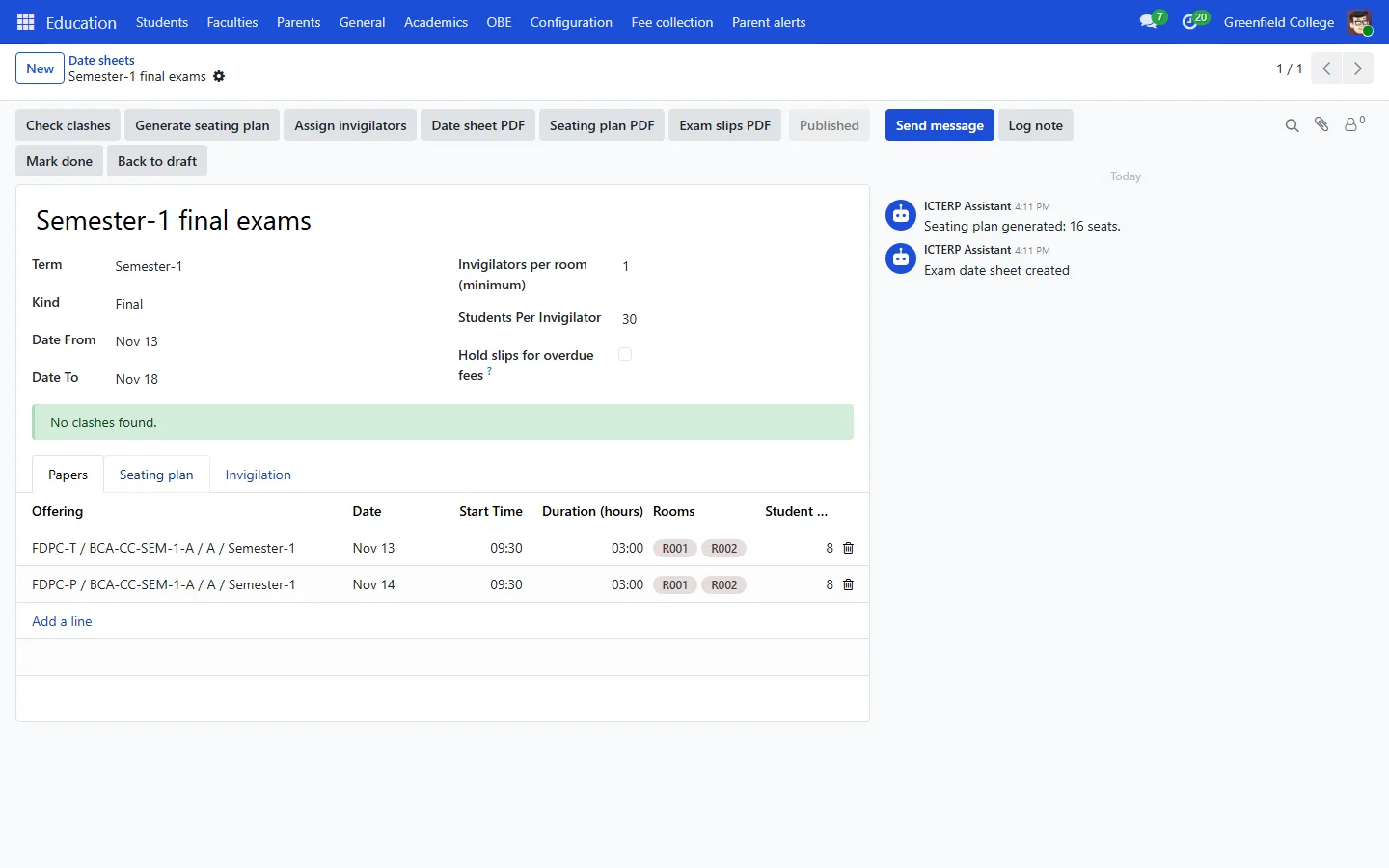
- Go to Education, Academics, Date sheets and press New.
- Pick the term and kind (midterm or final) and the dates. Set how many invigilators each room needs and how many students one invigilator can watch.
- On the Papers tab, add a line per course offering with the date, start time, duration and rooms.
2. Check for clashes
Press Check clashes. ICTERP looks for students with two papers at the same time, invigilators booked in two rooms, rooms without enough seats and papers without a room. Fix what it lists and check again until it says No clashes found.
3. Seats and invigilators
- Press Generate seating plan. Students from different papers sit next to each other in each room.
- Press Assign invigilators. Duties go to teachers who are free at that time, spread evenly. See them under Invigilation duties.
- Press Publish. Students see their date, room and seat in the portal.
Printouts
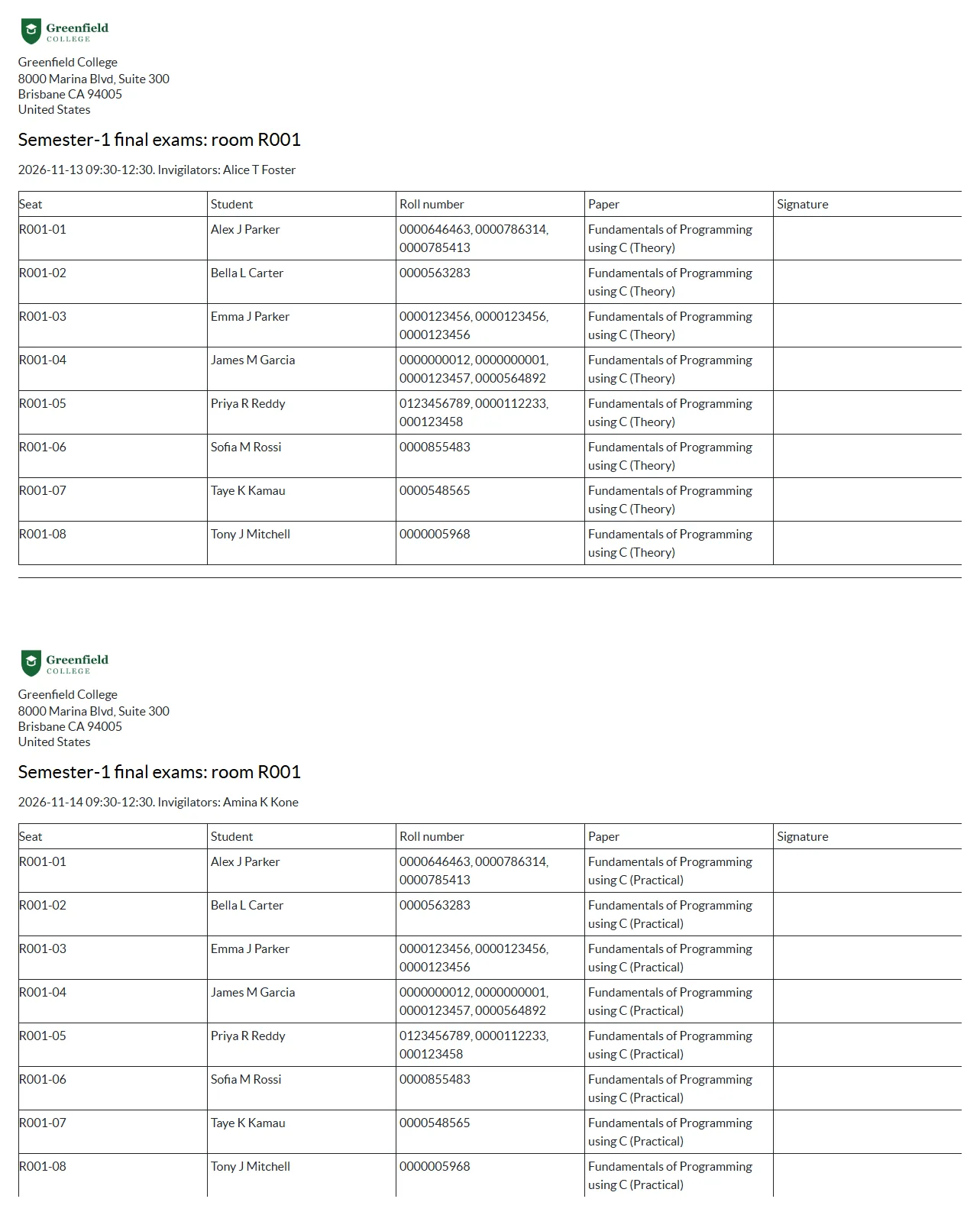
Date sheet PDF for notice boards, Seating plan PDF for each room door and Exam slips PDF for students. Tick Hold slips for overdue fees if students with unpaid challans should not get a slip until they pay.