Before you start
- Open your company (Settings, Users & Companies, Companies) and add your bank accounts on the Fee challans tab. They print on every challan.
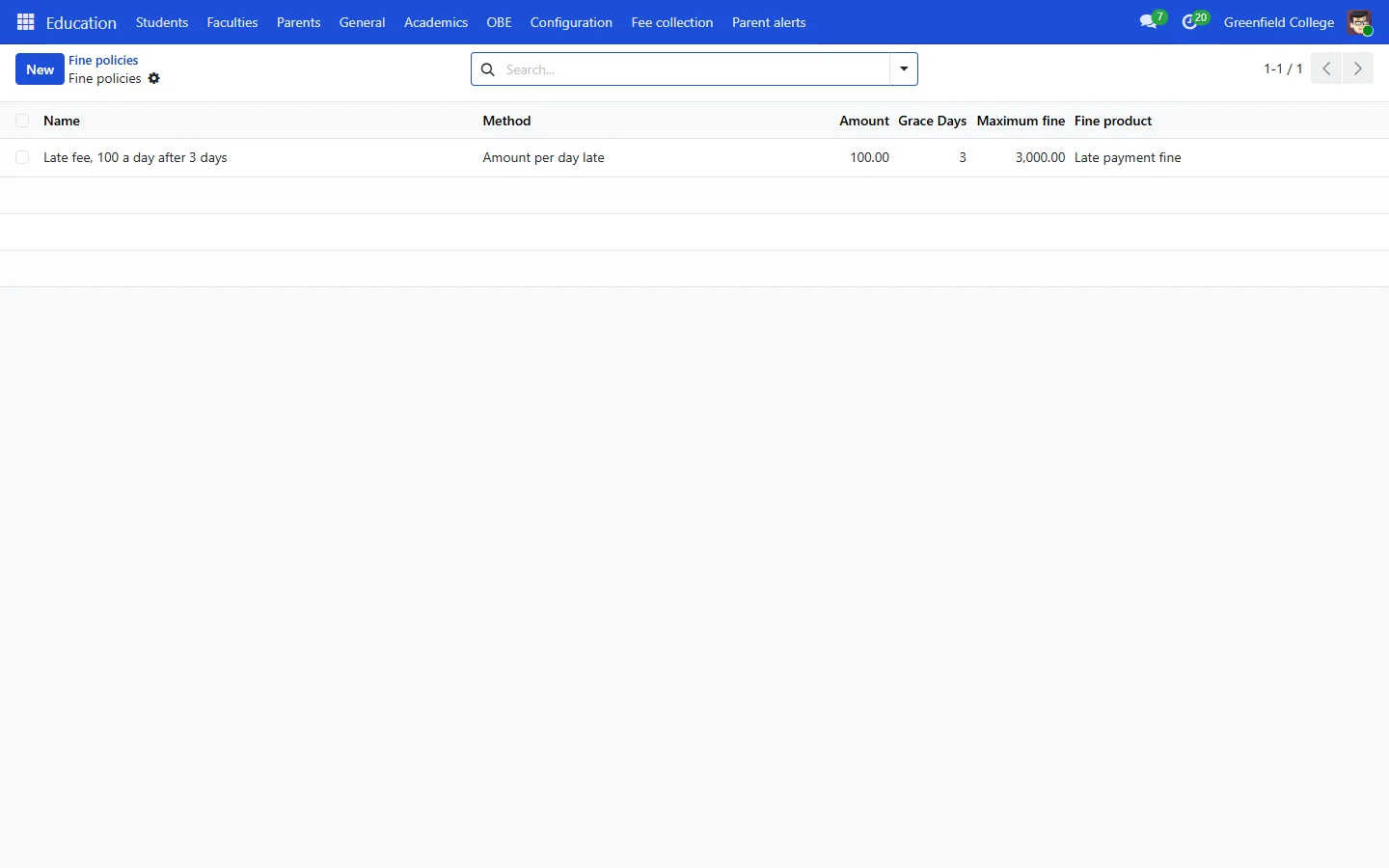
- Go to Education, Fee collection, Fine policies and set your late fee: an amount per day late or a fixed amount, the grace days and the maximum fine.
Issue challans
- Fee collection, Generate challans. Pick a batch (or add students), the fees to include and the due date.
- Press Generate. Each student gets one challan covering all their fees, with the invoices posted behind it.
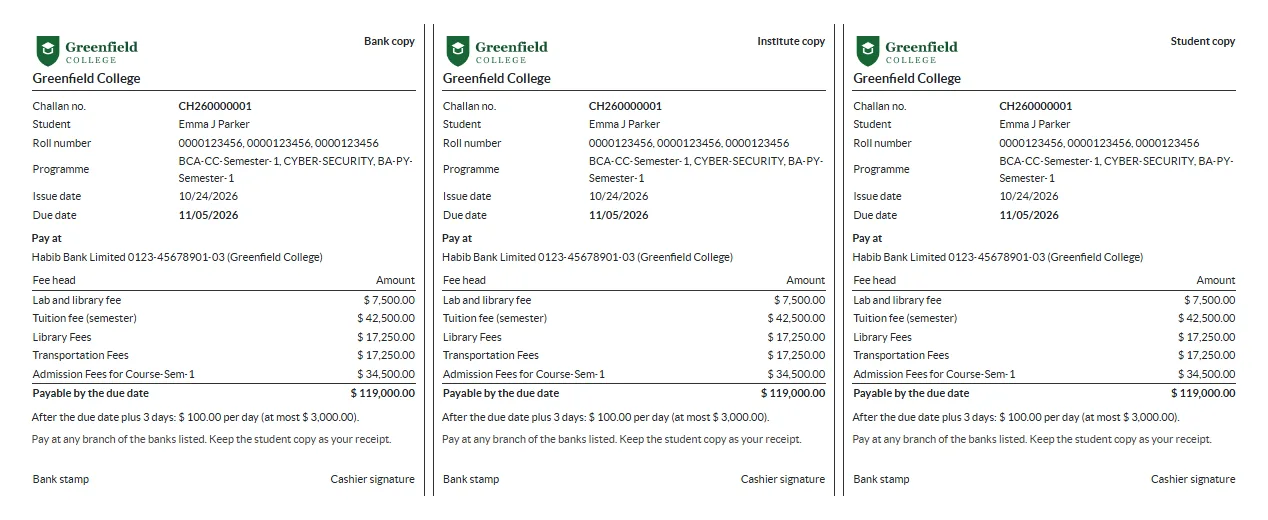
- Open a challan and press Print challan, or let parents download it from the portal.
Record payments
For one challan, press Confirm payment and enter the date paid and the bank reference. For many, use Import bank file with the bank’s CSV: one row per challan with the challan number, date paid, amount and reference.
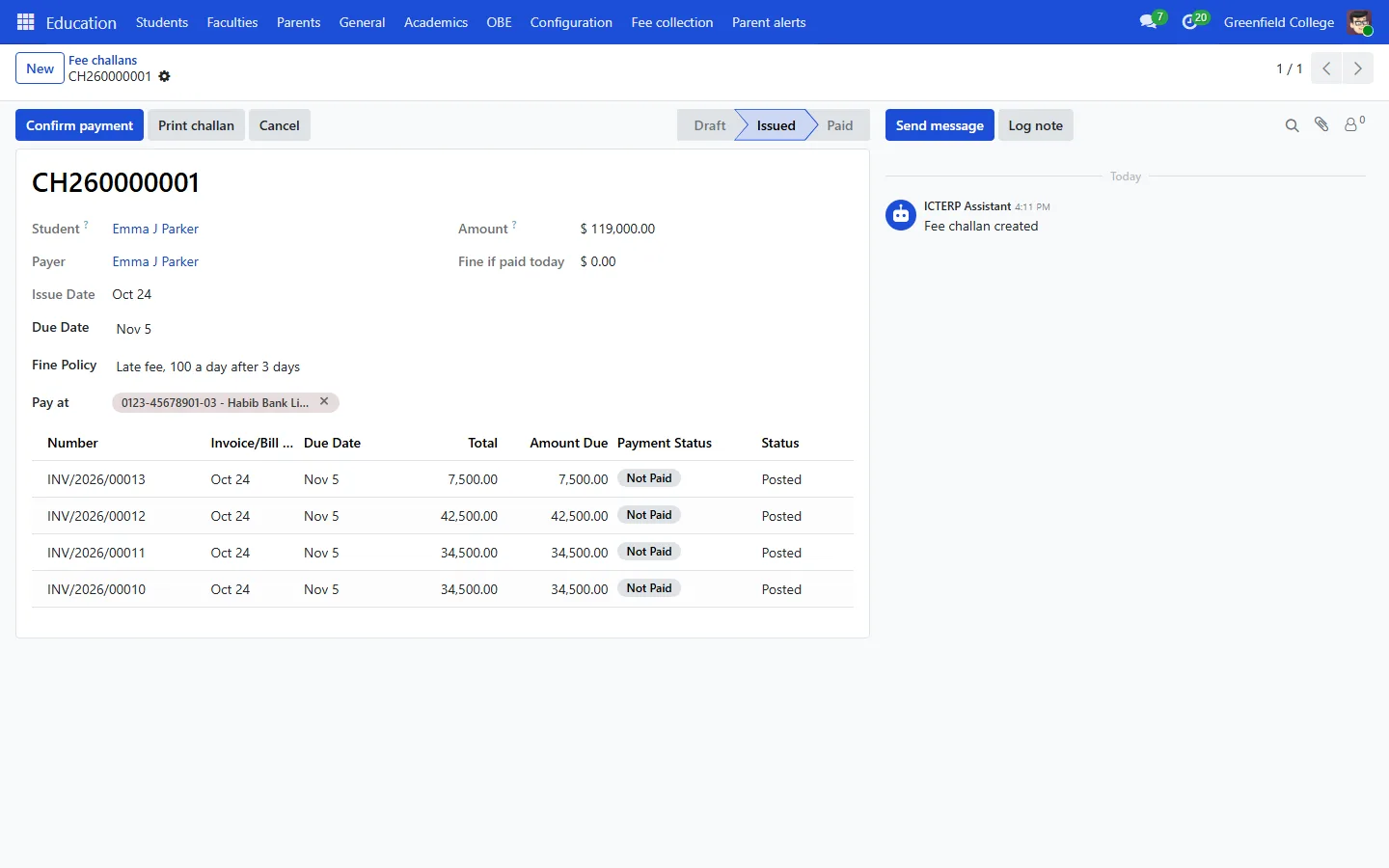
If a challan is paid after the due date plus the grace days, ICTERP works out the fine from the policy, bills it on its own invoice and records it with the payment.
Scholarships and waivers
- Scholarship types: name the scholarship, the percentage off and the fee heads it covers, for example 50% of tuition.
- Scholarships awarded: pick the student, the type and the dates, then press Approve.
The discount is applied to that student’s matching fees when the next challan is generated.
Whether a fee carries tax depends on how its fee product is set up in Invoicing. Check your fee products before issuing the first challans.