This guide covers your first ten minutes in ICTERP: signing in, finding the apps, and the few screens you’ll use every day. If you’re the administrator setting up a new server, read Connecting ICTContact and Live chat history from ICTDesk next.
Sign in
Open your ICTERP address in a browser. Your provider gives you this address, usually something like crm.yourcompany.com. Enter your email and password and press Log in. If you’ve forgotten your password, ask your administrator to reset it.
Find your apps
After you sign in, ICTERP opens on the Home page: a tile for each app you’re allowed to use, grouped into sections. Click a tile to open the app. You can get back to Home at any time from the grid icon in the top left corner, where Home is the first entry. See The Home page and app tiles for searching and changing the sections. The apps you’ll see include:
- CRM for leads and the sales pipeline
- Contacts for people and companies
- Sales for quotations and orders
- Invoicing for invoices, credit notes and payments
- Project for tasks and delivery
- Inventory and Purchase for stock, suppliers, receipts and deliveries
- Manufacturing for bills of materials and production
- Website for your site and online shop
- Employees and Time Off for staff records and leave
- Discuss for messages between your team
Administrators also see Apps and Settings.
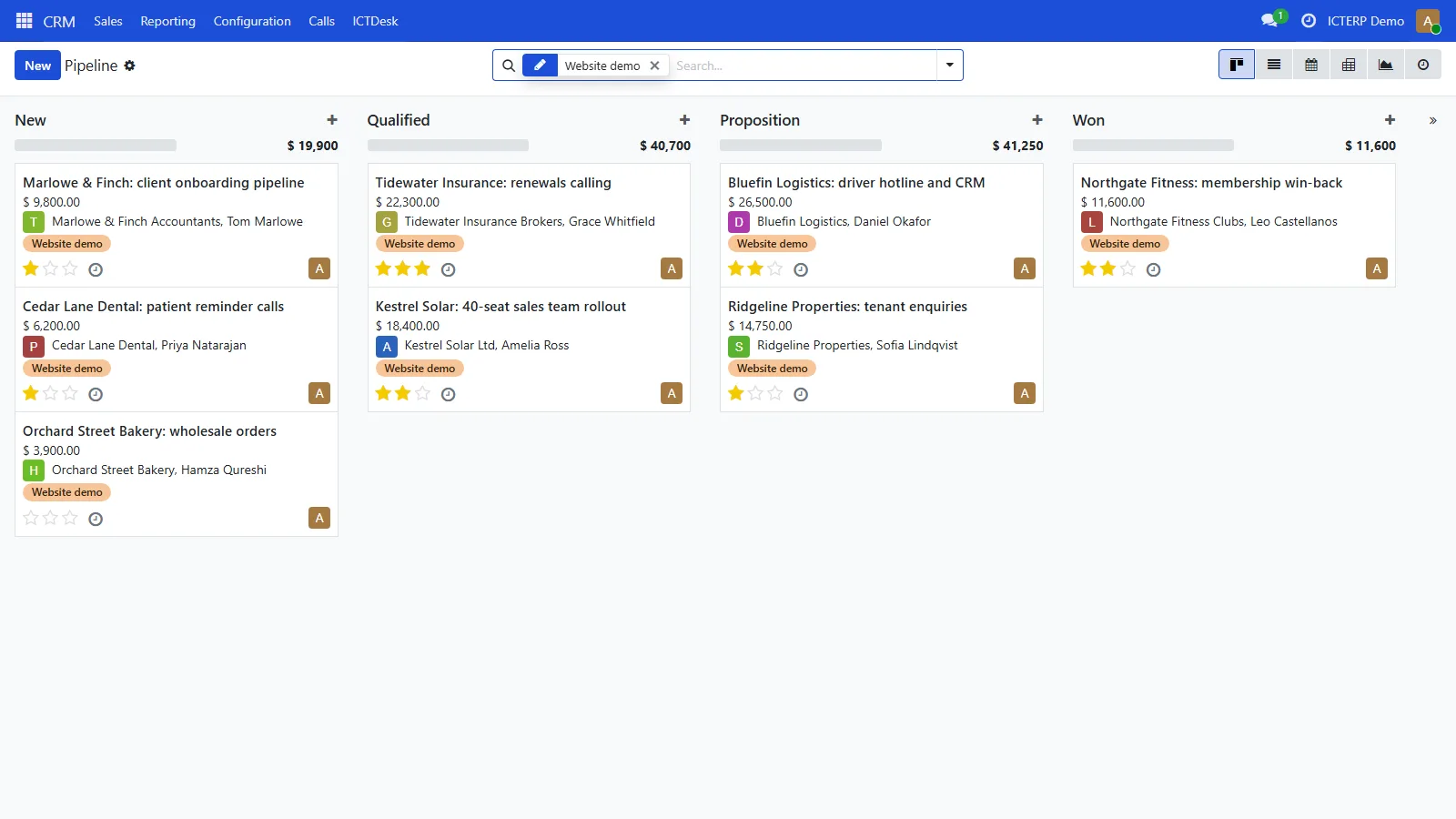
The pipeline
CRM opens on the pipeline. Each column is a stage: New, Qualified, Proposition and Won. Drag a card to move a deal along. Click a card to open the lead, where you’ll find the contact details, the expected revenue, the chatter on the right and, if your company uses them, the Calls and ICTDesk tabs.
The chatter
The column on the right of every record is the chatter. It keeps the history: who changed what, notes from your team, emails, and the results of calls made from ICTERP. Use Log note for internal notes and Send message to email the customer.
Tip: the search bar at the top of each list understands fields. Type a company name, then pick “Search Customer for” to filter by customer instead of by title.